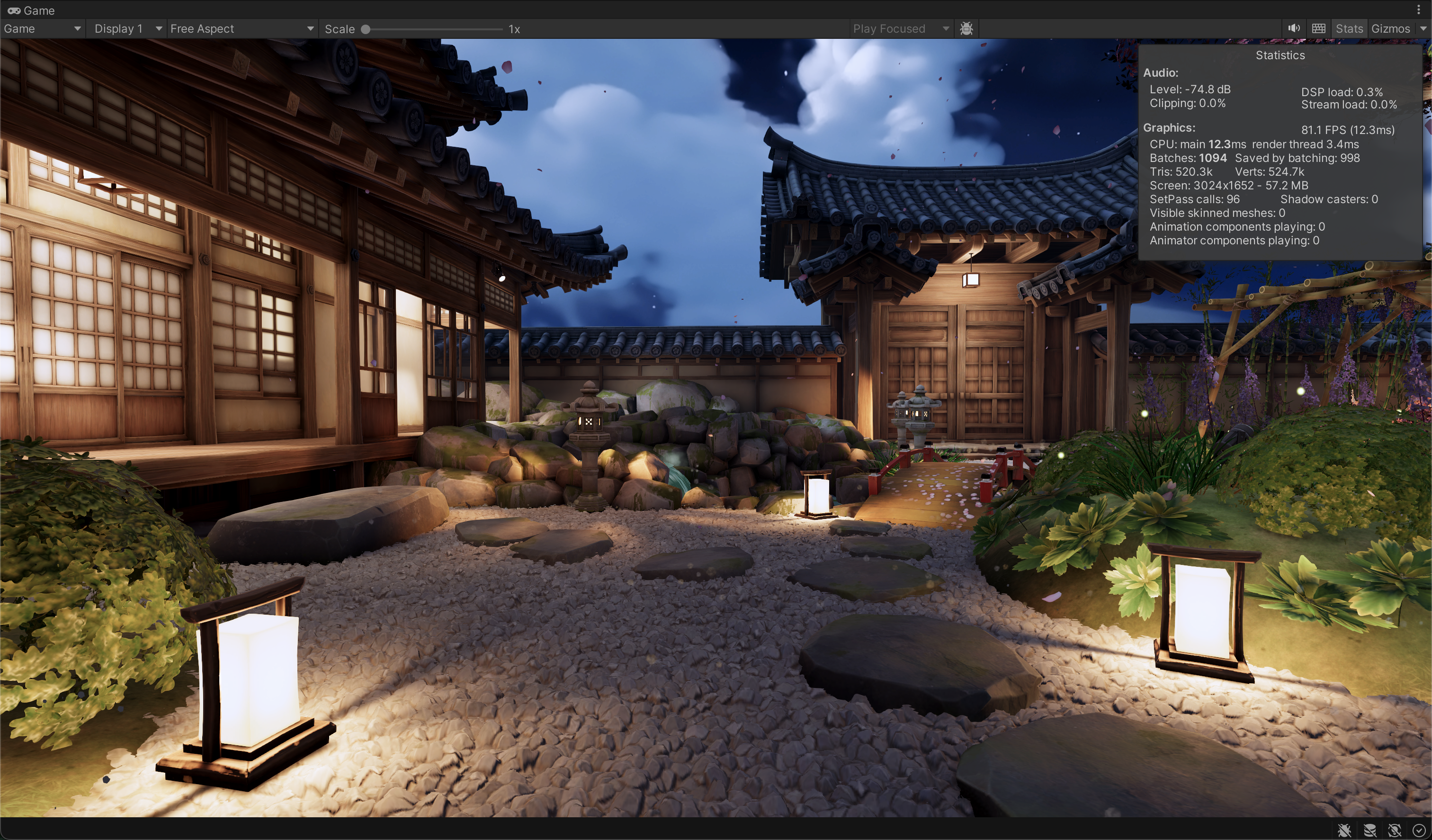
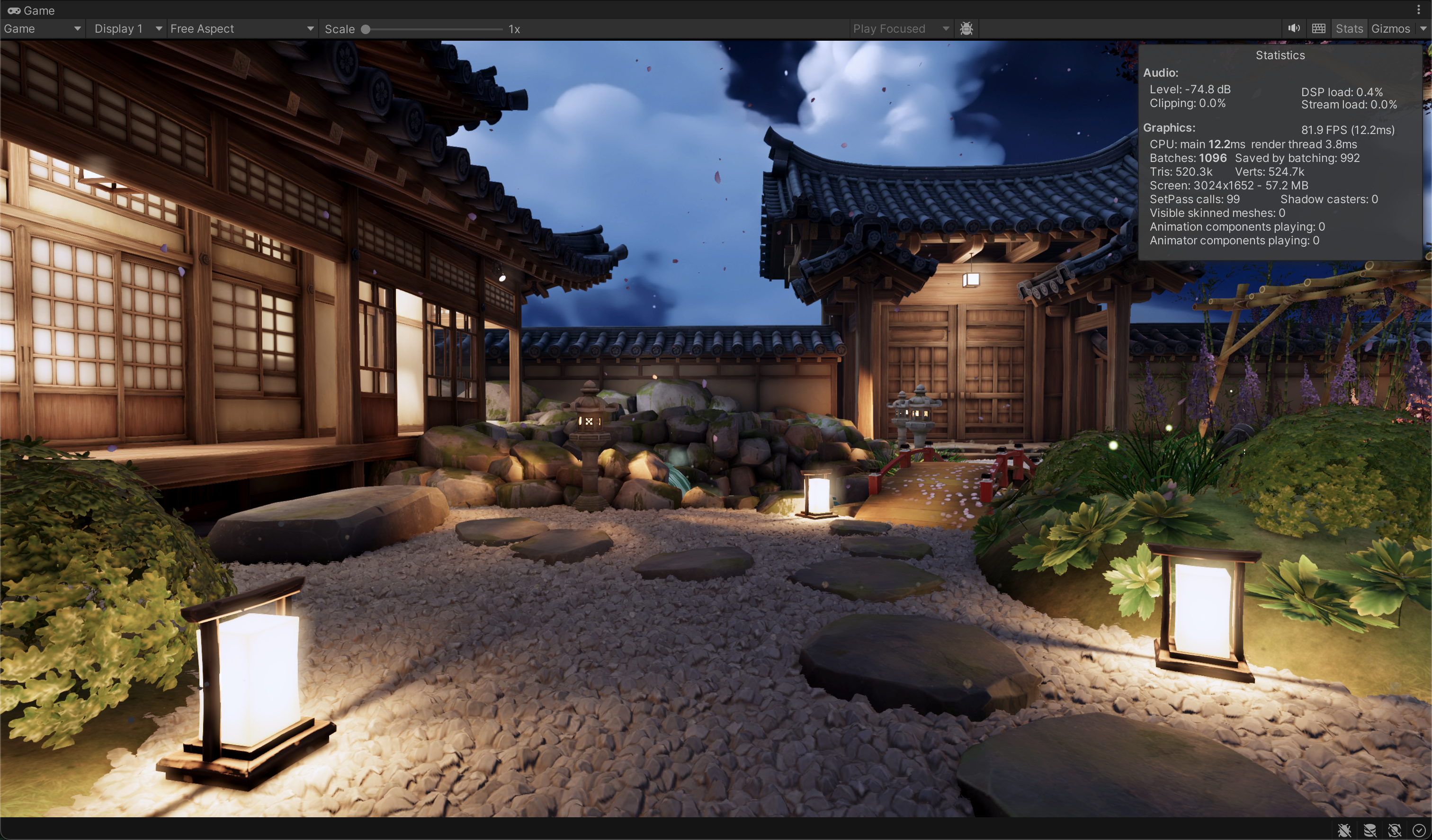
This project was my introduction to writing compute shaders in Unity. Doing a post processing effect was a familiar context for me to work in and I knew how I could write my own bloom shader.
Blur Algorithms
Bloom is achieved with a threshold that masks the brightest pixels from the scene texture and blurring them through downsampling, averaging, and then upsampling. Then the result is composited back onto the scene texture (normally additively).
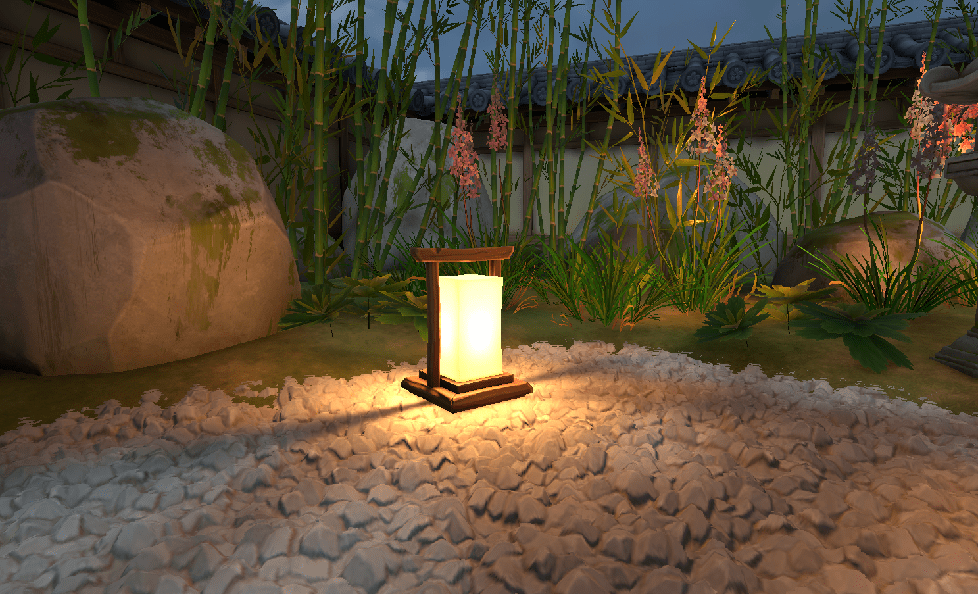
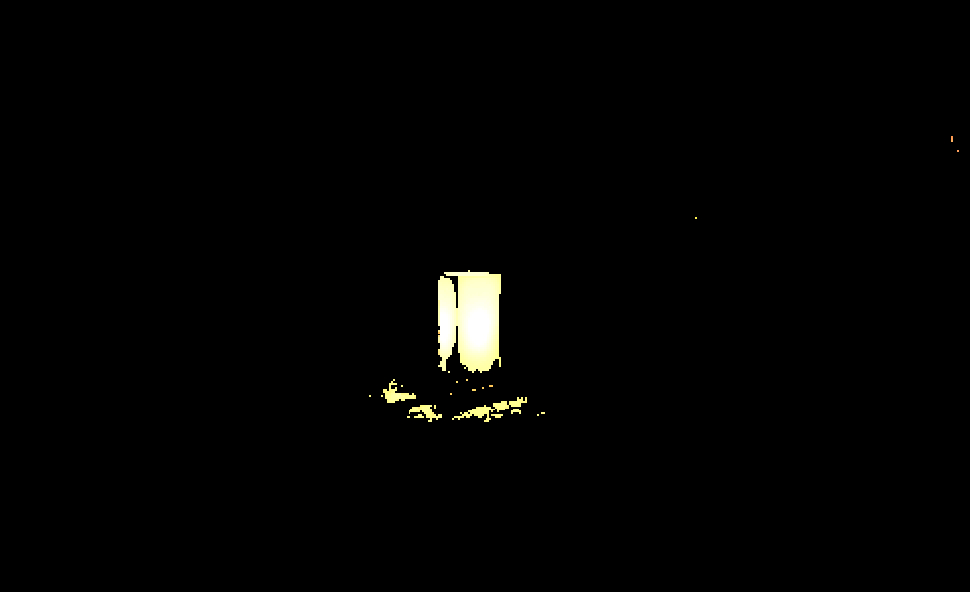
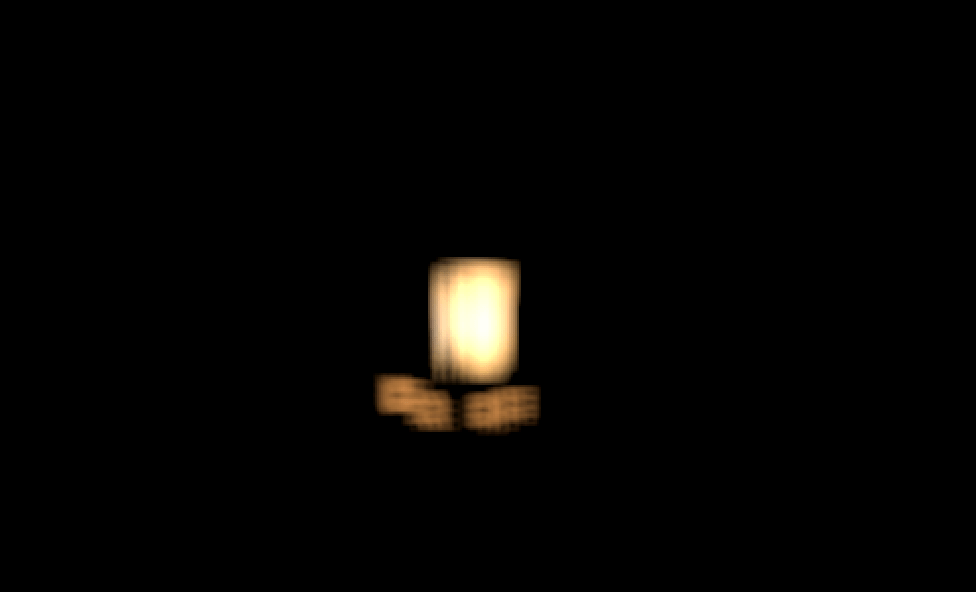
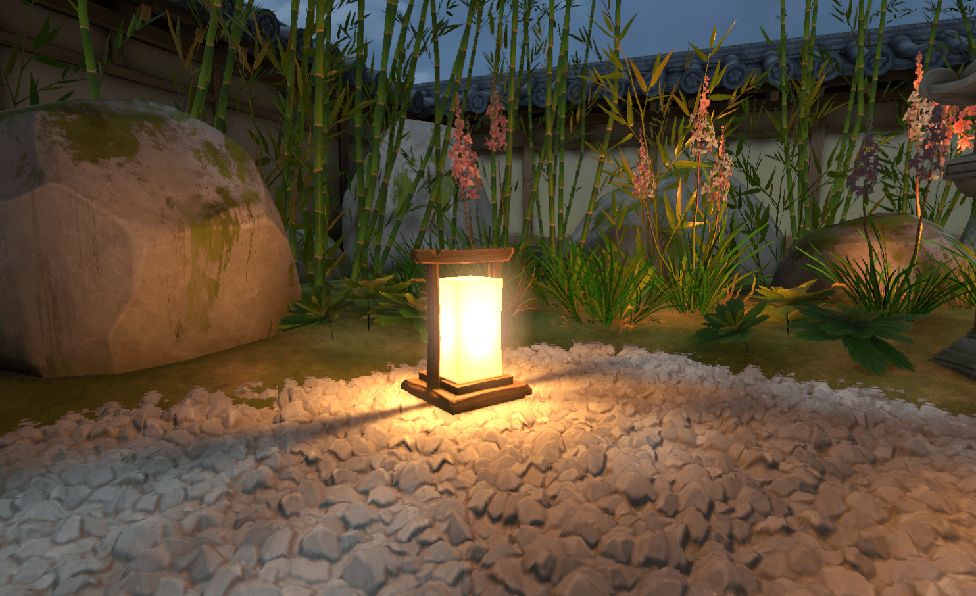
My past experience with kernel operator based effects was mainly in edge detection outlines, so the box blur algorithm made the most sense to me initially. This algorithm samples the surrounding pixels in a 3×3 box (known as a kernel) and averages the color values within that box. Downsampling the scene texture to a lower resolution before blurring makes the effect viable for real time performance targets and does some blurring work for us with bilinear filtering. The resulting blurred texture is then upsampled to the screen resolution and added back into the camera’s texture using a blit function.
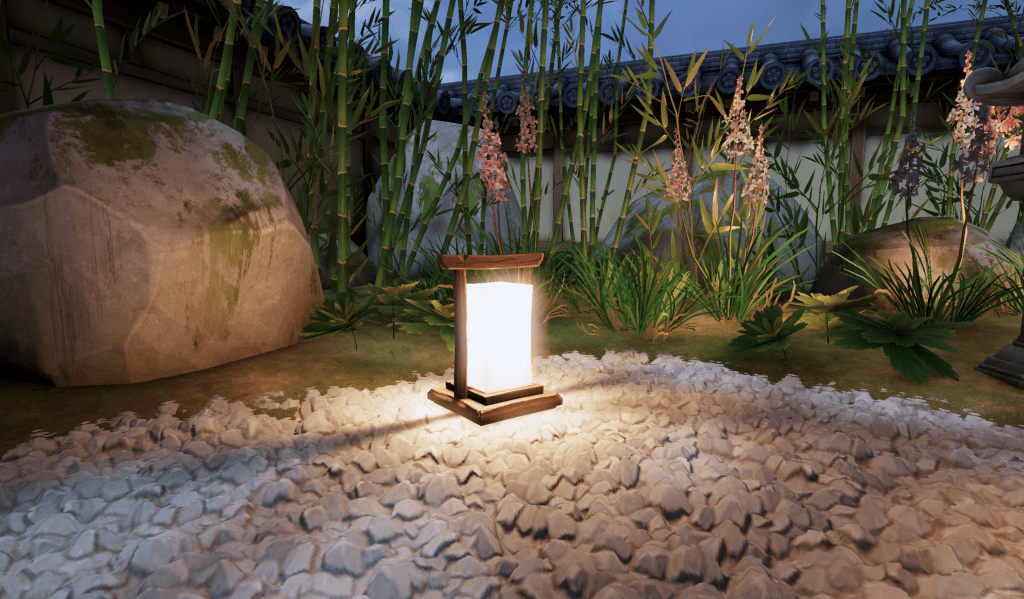
After researching this topic, Kawase blur repeatedly came up as the most efficient and effective blur algorithm for bloom. It samples the kernel pixels at their corners, which have already been averaged with its neighbours through bilinear filtering, and then averages those values with the center pixel value. The sampling distance increases per pass whilst doing the typical downsampling you see in real time blurs. Finally, after upsampling, a cheap and effective blur effect is created.
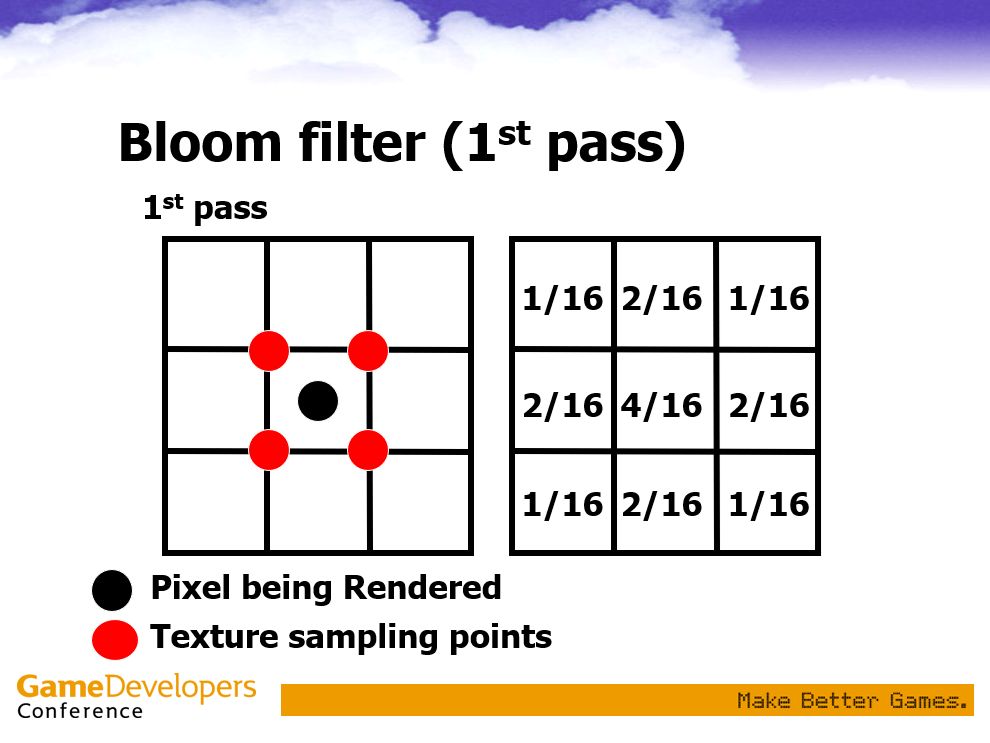
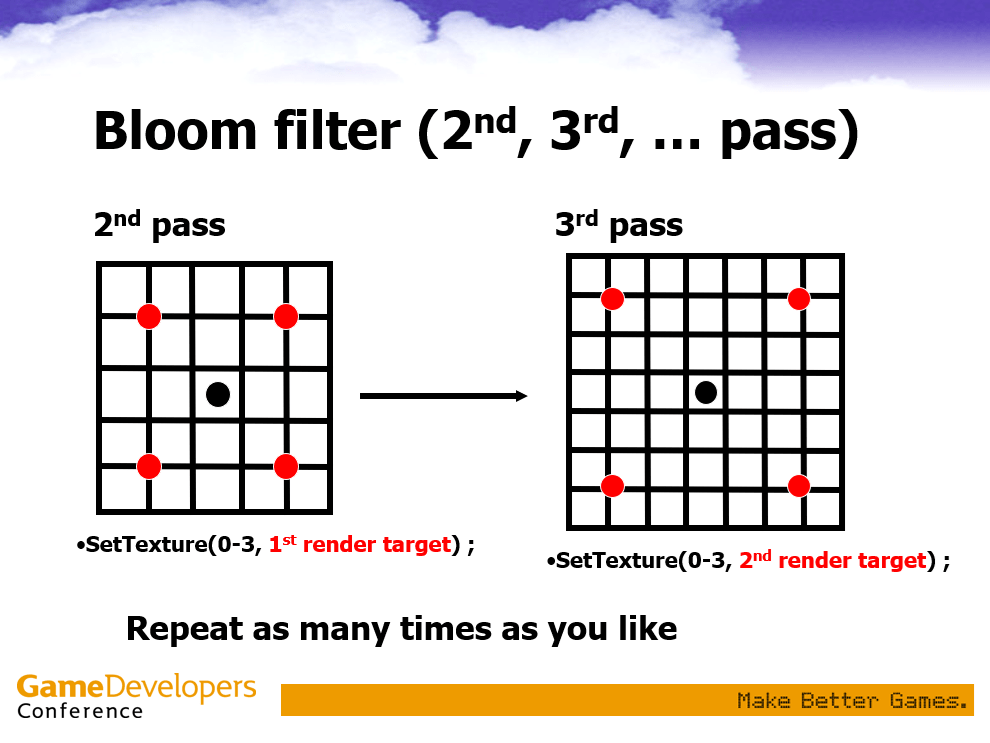
Images from GDC presentation: Frame Buffer Postprocessing Effects in DOUBLE-S.T.E.A.L
My Bloom


My bloom algorithm uses a box blur inside the compute shader, and uses Kawase style blur passes in the C# script, where the render target of the scene is downsampled and the offset distance increases with each pass. The pixels are sampled at their corners by using texel offsets of 1.5, 2.5 and 3.5 and the script dispatches the compute shader to perform the box blur on each pass.
I’m using a compute shader for this application but a fragment shader would work just fine too. The default Unity bloom is done with a full Kawase blur algorithm in a fragment shader.
// Each #kernel tells which function to compile; you can have many kernels kernel Blur kernel Threshold kernel Add// Create a RenderTexture with enableRandomWrite flag and set it// with cs.SetTextureTexture2D<float4> Source;Texture2D<float4> Blurred;RWTexture2D<float4> Result;float threshold;float intensity;int width;int height;float skip;SamplerState linearclampsampler;// Sets up parameters[numthreads(8, 8, 1)]void Threshold(uint3 id : SV_DispatchThreadID){ float2 XY = float2(id.xy); float2 dimensions = float2(width, height); // Sets up UV parameters float4 src = Source.SampleLevel(linearclampsampler, XY / dimensions, 0); Result[id.xy] = step(0.1f, dot(step(float4(threshold, threshold, threshold, threshold), src), float4(1, 1, 1, 1))) * src; // Extracts the brightest pixels with the step threshold and weakens fireflies // (smaller spots of bright pixels) then multiplies by the source to maintain color}[numthreads(8, 8, 1)]void Blur(uint3 id : SV_DispatchThreadID){ float2 XY = float2(id.xy); float2 dimensions = float2(width, height); // Sets up UV parameters Result[id.xy] = ( Source.SampleLevel(linearclampsampler, (XY + float2(skip, skip)) / dimensions, 0) + Source.SampleLevel(linearclampsampler, (XY + float2(0, skip)) / dimensions, 0) + Source.SampleLevel(linearclampsampler, (XY + float2(-skip, skip)) / dimensions, 0) + Source.SampleLevel(linearclampsampler, (XY + float2(-skip, 0)) / dimensions, 0) + Source.SampleLevel(linearclampsampler, (XY + float2(-skip, -skip)) / dimensions, 0) + Source.SampleLevel(linearclampsampler, (XY + float2(0, -skip)) / dimensions, 0) + Source.SampleLevel(linearclampsampler, (XY + float2(skip, -skip)) / dimensions, 0) + Source.SampleLevel(linearclampsampler, (XY + float2(skip, 0)) / dimensions, 0) ) / 8; // Box blur: shifts texture by one texel in 8 directions and // averages the samples to get a blurred group of pixels}[numthreads(8, 8, 1)]void Add(uint3 id : SV_DispatchThreadID){ float2 XY = float2(id.xy); float2 dimensions = float2(width, height); // Sets up UV parameters Result[id.xy] = Source.SampleLevel(linearclampsampler, XY / dimensions, 0) + intensity * Blurred.SampleLevel(linearclampsampler, XY / dimensions, 0); // Adds bloomed bright pixels back into original source // to create final bloomed result}using UnityEngine;using UnityEngine.Rendering;using UnityEngine.Rendering.Universal;public class NewBloomPass : ScriptableRenderPass{ public ComputeShader computeShader; float intensity; float threshold; float size; int downRes; string profilerTag = "BloomPass"; RenderTargetIdentifier cameraTex; RenderTextureDescriptor camSettings; RenderTargetHandle cameraTexCopy; RenderTargetHandle temp1Handle; RenderTargetHandle temp2Handle; // Defines parameters and render targets public NewBloomPass( RenderPassEvent renderPassEvent, ComputeShader computeShader, float intensity, float threshold, float size, int downRes) { this.renderPassEvent = renderPassEvent; this.computeShader = computeShader; this.intensity = intensity; this.threshold = threshold; this.size = size; this.downRes = downRes; temp1Handle.Init("Temporary Handle 1"); temp2Handle.Init("Temporary Handle 2"); cameraTexCopy.Init("Camera Texture Copy"); } public void Setup(RenderTargetIdentifier cameraTarget) { cameraTex = cameraTarget; } // Configures and sets up initial camera render target and settings public override void Configure(CommandBuffer cmd, RenderTextureDescriptor camSettings) { this.camSettings = camSettings; } public override void Execute(ScriptableRenderContext context, ref RenderingData renderingData) { int ThresholdKernel = computeShader.FindKernel("Threshold"); int BlurKernel = computeShader.FindKernel("Blur"); int AddKernel = computeShader.FindKernel("Add"); // Gets kernels for each function in the compute shader CommandBuffer cmd = CommandBufferPool.Get(profilerTag); camSettings.enableRandomWrite = true; // Gets initial render target from camera cmd.GetTemporaryRT(cameraTexCopy.id, camSettings); // Divides dimensions for a downres sample of the render target camSettings.width /= downRes; camSettings.height /= downRes; // Two temporary render targets for the shader to read from and write to cmd.GetTemporaryRT(temp1Handle.id, camSettings); cmd.GetTemporaryRT(temp2Handle.id, camSettings); // Assigns each render target (both initial camera RTs and temporary RTs) // for the texture parameter that it is used for in each function // Threshold pass cmd.SetComputeTextureParam(computeShader, ThresholdKernel, "Result", temp1Handle.Identifier()); cmd.SetComputeTextureParam(computeShader, ThresholdKernel, "Source", cameraTex); cmd.SetComputeTextureParam(computeShader, ThresholdKernel, "Blurred", cameraTexCopy.Identifier()); // Blur pass (initial) cmd.SetComputeTextureParam(computeShader, BlurKernel, "Result", temp2Handle.Identifier()); cmd.SetComputeTextureParam(computeShader, BlurKernel, "Source", temp1Handle.Identifier()); cmd.SetComputeTextureParam(computeShader, BlurKernel, "Blurred", cameraTexCopy.Identifier()); // Add pass cmd.SetComputeTextureParam(computeShader, AddKernel, "Result", cameraTexCopy.Identifier()); cmd.SetComputeTextureParam(computeShader, AddKernel, "Source", cameraTex); cmd.SetComputeTextureParam(computeShader, AddKernel, "Blurred", temp1Handle.Identifier()); // Setting parameters for the threshold function // Thresholding takes the initial render target from the camera, // masks out the bright pixels according to threshold and writes to temp1 cmd.SetComputeIntParam(computeShader, "width", camSettings.width); cmd.SetComputeIntParam(computeShader, "height", camSettings.height); cmd.SetComputeFloatParam(computeShader, "threshold", threshold); cmd.SetComputeFloatParam(computeShader, "skip", 1.5f * size); cmd.DispatchCompute( computeShader, ThresholdKernel, camSettings.width / 8, camSettings.height / 8, 1); // Blur passes (Kawase blur style) cmd.SetComputeFloatParam(computeShader, "skip", size); cmd.SetComputeTextureParam(computeShader, BlurKernel, "Source", temp1Handle.Identifier()); cmd.SetComputeTextureParam(computeShader, BlurKernel, "Result", temp2Handle.Identifier()); cmd.DispatchCompute( computeShader, BlurKernel, camSettings.width / 8, camSettings.height / 8, 1); cmd.SetComputeTextureParam(computeShader, BlurKernel, "Source", temp2Handle.Identifier()); cmd.SetComputeTextureParam(computeShader, BlurKernel, "Result", temp1Handle.Identifier()); cmd.SetComputeFloatParam(computeShader, "skip", 2.5f * size); cmd.DispatchCompute( computeShader, BlurKernel, camSettings.width / 8, camSettings.height / 8, 1); cmd.SetComputeTextureParam(computeShader, BlurKernel, "Source", temp1Handle.Identifier()); cmd.SetComputeTextureParam(computeShader, BlurKernel, "Result", temp2Handle.Identifier()); cmd.SetComputeFloatParam(computeShader, "skip", size); cmd.DispatchCompute( computeShader, BlurKernel, camSettings.width / 8, camSettings.height / 8, 1); cmd.SetComputeTextureParam(computeShader, BlurKernel, "Source", temp2Handle.Identifier()); cmd.SetComputeTextureParam(computeShader, BlurKernel, "Result", temp1Handle.Identifier()); cmd.SetComputeFloatParam(computeShader, "skip", 3.5f * size); cmd.DispatchCompute( computeShader, BlurKernel, camSettings.width / 8, camSettings.height / 8, 1); // Add function copies the blurred bright pixels back onto the initial render target cmd.SetComputeFloatParam(computeShader, "intensity", intensity); cmd.SetComputeIntParam(computeShader, "width", camSettings.width * downRes); cmd.SetComputeIntParam(computeShader, "height", camSettings.height * downRes); cmd.DispatchCompute( computeShader, AddKernel, camSettings.width / (8 / downRes), camSettings.height / (8 / downRes), 1); // Blit camera texture back to the render pipeline cmd.Blit(cameraTexCopy.Identifier(), cameraTex); cmd.ReleaseTemporaryRT(temp1Handle.id); cmd.ReleaseTemporaryRT(temp2Handle.id); cmd.ReleaseTemporaryRT(cameraTexCopy.id); context.ExecuteCommandBuffer(cmd); CommandBufferPool.Release(cmd); }}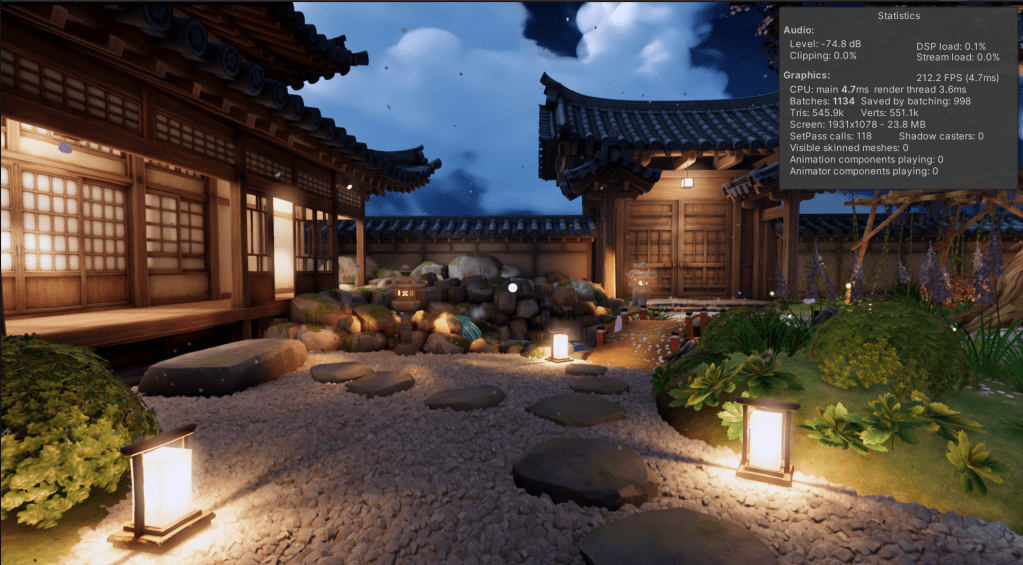
While I’m very happy with this results from my first compute shader, using the box blur does create a less soft result than I would like. In the future I plan on exploring dual filter Kawase bloom to create my own professional looking bloom. I’m happy to report that there’s no visible framerate drop when enabling my bloom, but I’ll be doing a profile of this in Renderdoc soon.
Resources and Further Reading
Video Game Blurs (and how the best one works) – Frost Kiwi
Getting Started with Compute Shaders in Unity – YouTube
Compute Shaders – Catlike Coding
 Lewis Gadsby